De
De  Es
Es  Fr
Fr  En
En 

-
-
-
-
-
-
-
-
-
-
-
“Reference Points” Tab
-
-
-
-
-
-
-
-
-
-
-
-
“Reference Points” Tab
This tab supports work with reference points. Each point has a set of flags and parameters.
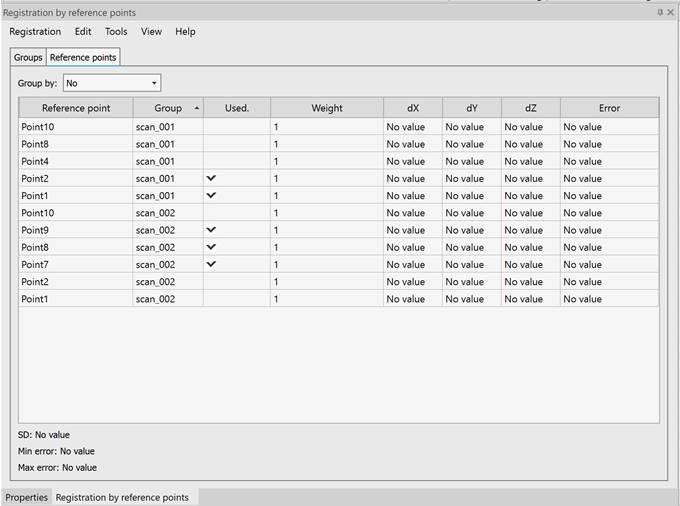
Table columns description
|
Reference point |
Name of reference point. |
|
Group |
Group of reference point |
|
Used |
This flag means that point will not be used in registration. It is not possible to switch this flag manually. |
|
Weight |
Weight of reference point. May be changed manually in the range from 0 to 1. Point with weight=0 is excluded from registration and marks with the Unused flag. Weight=1 by default. |
|
dX dY dZ |
The offset of the reference point along the axis after registration. Shows the difference between the X, Y, or Z coordinate of the reference point and the same coordinate of the corresponding common point obtained during registration. A positive value means that the point is offset in the positive direction of the axis relative to its calculated position. |
|
Error |
Error (residual) that calculated for points after registration. Actually, error is the difference between reference point and common reference point coordinates obtained after registration. |
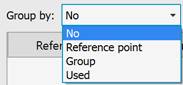
Sort groups by one of the flags:
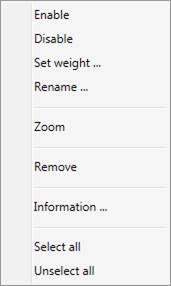
Menu items:
|
Enable |
Include points in registration. |
|
Disable |
Exclude points from registration. |
|
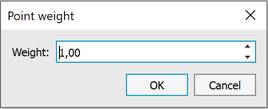
Set weight… |
Open dialog for changing the weight of reference points:
It is possible to change the weight in the range from 0 to 1. |
|
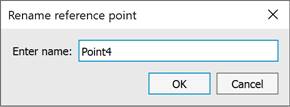
Rename… |
Open dialog to rename reference point:
|
|
Zoom |
Display selected point in the center of view. |
|
Remove |
Remove selected points from the table. If all points of group were removed, then the group is removed from the Groups tab. |
|
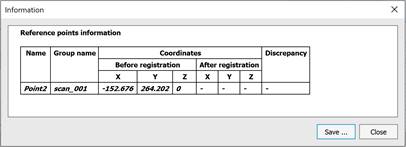
Information… |
Display information about selected points:
If information was requested after the registration then the table additionally shows coordinates of reference points after transformation and residual (discrepancy).
It is possible to save information into HTML-file. |
|
Select all |
Select all reference points in the table. |
|
Unselect all |
Remove selection from selected reference points. |